01

Direction
Find the Qibla with confidence
Use real-time compass guidance to orient yourself wherever your journey takes you.

MyZikrRing App
Connect your compatible MyZikrRing to the official iTasbeeh Salam app. Track dhikr, personalize reminders, find the Qibla and stay connected with the moments that matter throughout your day.

The App Experience
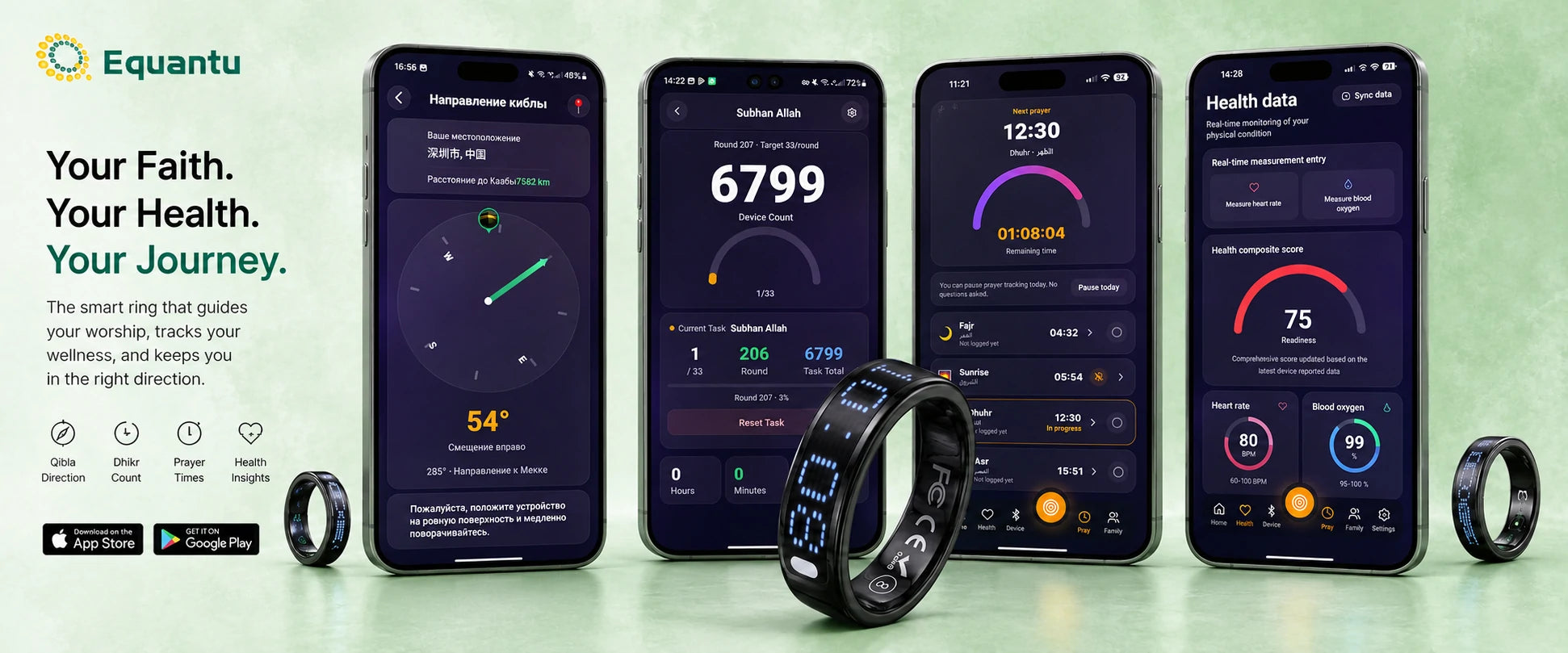
Move through your day with a clearer view of your dhikr, prayer routine, direction and supported wellness records.
Swipe to explore Qibla, Dhikr, Wellness and Prayer →
Direction
Use real-time compass guidance to orient yourself wherever your journey takes you.
Dhikr
Create dhikr tasks, choose targets and vibration reminders, and review your progress.

Wellness
On supported models, view heart rate, SpO₂, sleep and activity records in one place.

Prayer
View five daily prayer times and personalize advance reminders for a compatible ring.
How to Use
From downloading the app to your first count, setup takes only a few minutes.
Install the official iTasbeeh Salam app from the App Store or Google Play, then sign in or create an account.
Charge or wake the ring, enable Bluetooth on your phone, then open Device Management and select your compatible model.
Choose your dhikr targets, prayer reminders, vibration preferences and the options supported by your ring.
Power on or wake your ring as instructed for the model, then press or tap once to begin counting and sync your routine.
Power-on, button behavior and available features may vary by ring model.
Your Journey Begins Here
Download the official companion app, connect your compatible MyZikrRing and discover a more focused way to track, remember and reflect.
Available features vary by ring model, phone, software version and region.
Questions & Support
The app is designed for compatible MyZikrRing and iTasbeeh Salam devices. Feature availability depends on the ring model. View the compatible range in the MyZikrRing Zikr Ring collection.
Bluetooth is required when pairing a compatible ring and syncing device records, settings, battery status or firmware information with your phone.
Supported devices allow you to create dhikr tasks, choose targets and configure reminder or vibration preferences.
No. Heart rate, SpO₂, sleep and activity functions appear only on models with the corresponding sensors and software support.
Use the setup QR card supplied with your ring, follow the instructions in the app, or contact MyZikrRing support at service@equantu.com.
Wellness information is for general lifestyle reference only and is not intended for diagnosis, treatment or other medical use. Features may differ by model, software version, phone and region.