A schedule you can check
Five prayer times, the next-prayer countdown, calendar and city settings give your day a clear reference.

Prayer reminders
Check your prayer times and set a quiet reminder on your connected ring. A small pause, even on your busiest days.


See the next prayer, its time and the countdown.

See the next prayer, its time and the countdown.
Review the day’s prayer schedule in one place.

Review the app’s calculation and time settings before syncing your device.

Enable prayer reminders and vibration feedback in the app.
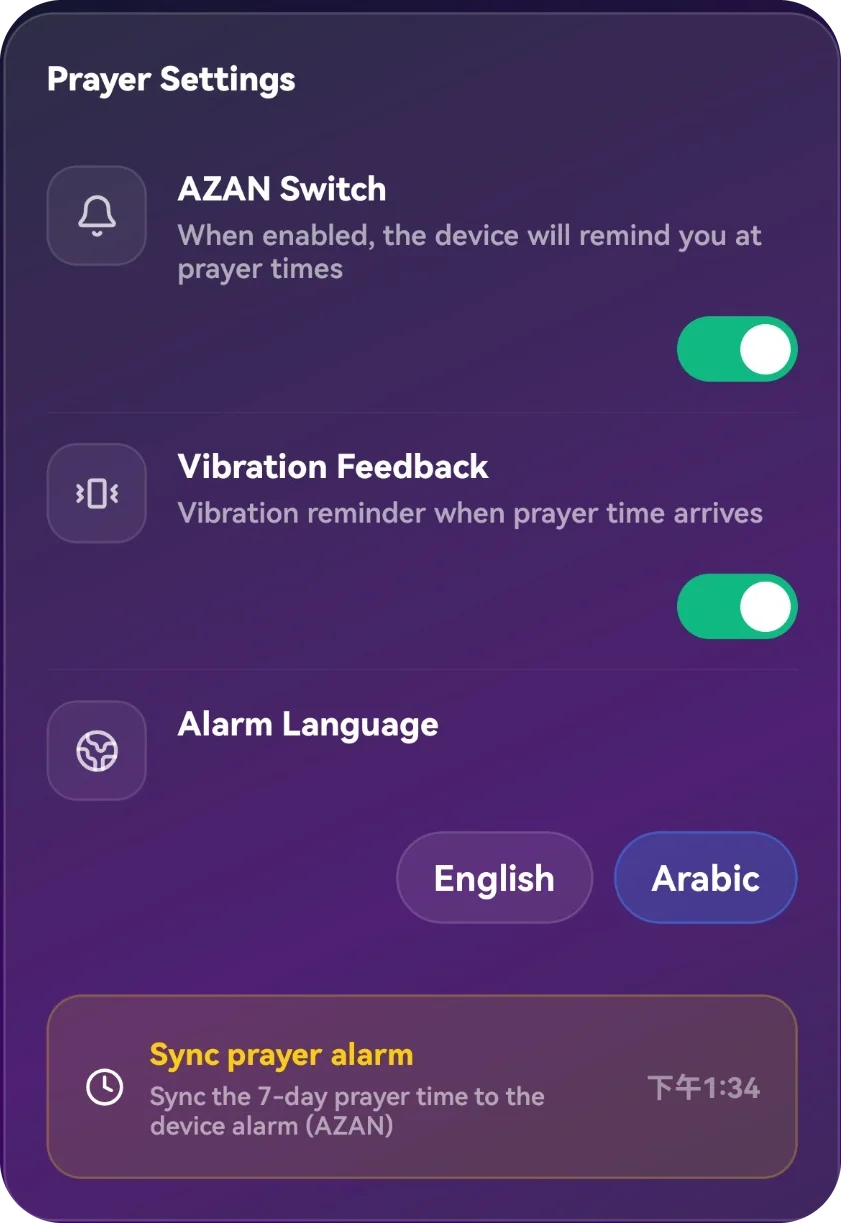
Enable prayer reminders and vibration feedback in the app.
Choose English or Arabic for supported reminders, then sync as shown in the app.
Use the app’s direction view and follow its phone-calibration guidance.

Use the app’s direction view and follow its phone-calibration guidance.
What you can do, how it works, and where it fits into your day.
Five prayer times, the next-prayer countdown, calendar and city settings give your day a clear reference.
Review time adjustments, clock format and daylight saving. Set supported Azan and notification preferences.
Track your own prayer completion. Pause prayer logging when appropriate without treating it as a missed goal.
The Qibla view uses your location, a compass bearing and distance. Follow the device guidance and confirm location permissions.
Prayer reminders

At work
Feel a gentle vibration when it is time for prayer.

Before heading out
Review your daily prayer times as you plan your day.

Travelling
Check your settings after travelling, then sync as instructed.
Three simple steps
Set the time. Feel the reminder.

Confirm your location, time zone and prayer settings.

Enable reminders, choose a supported language, and sync.

Your compatible ring vibrates at the scheduled time.
Use the app for your model. Features and connection requirements vary by device.

Explore rings with prayer reminders, for a gentle nudge when it matters.
Shop all rings