Five ways to find your fit
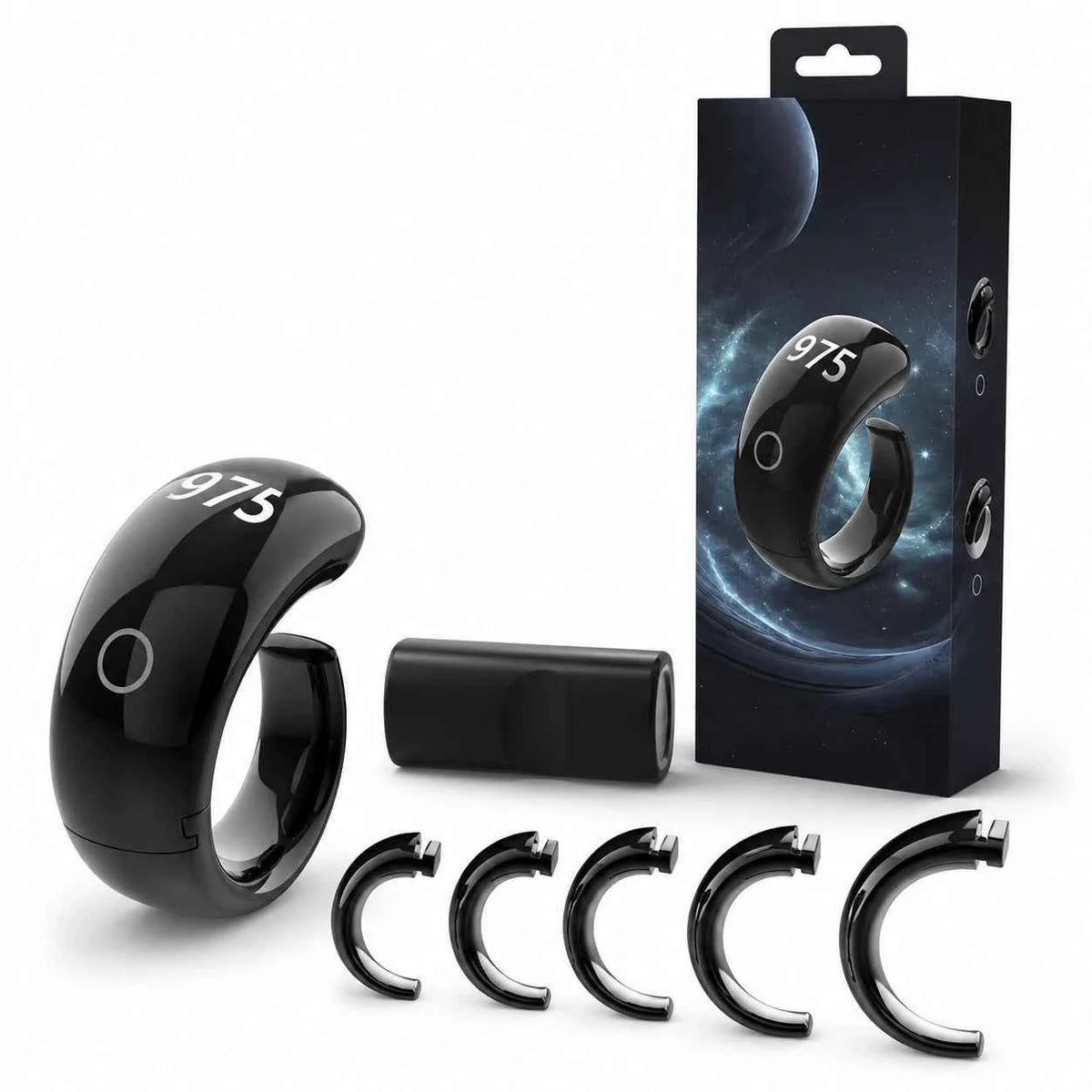
Included sizing loops offer inner diameters of 16.5, 18, 20, 22 and 23.9 mm.

SQ976
Five sizing loops. A light resin body. Clear counting and prayer reminders, made to fit your daily practice.
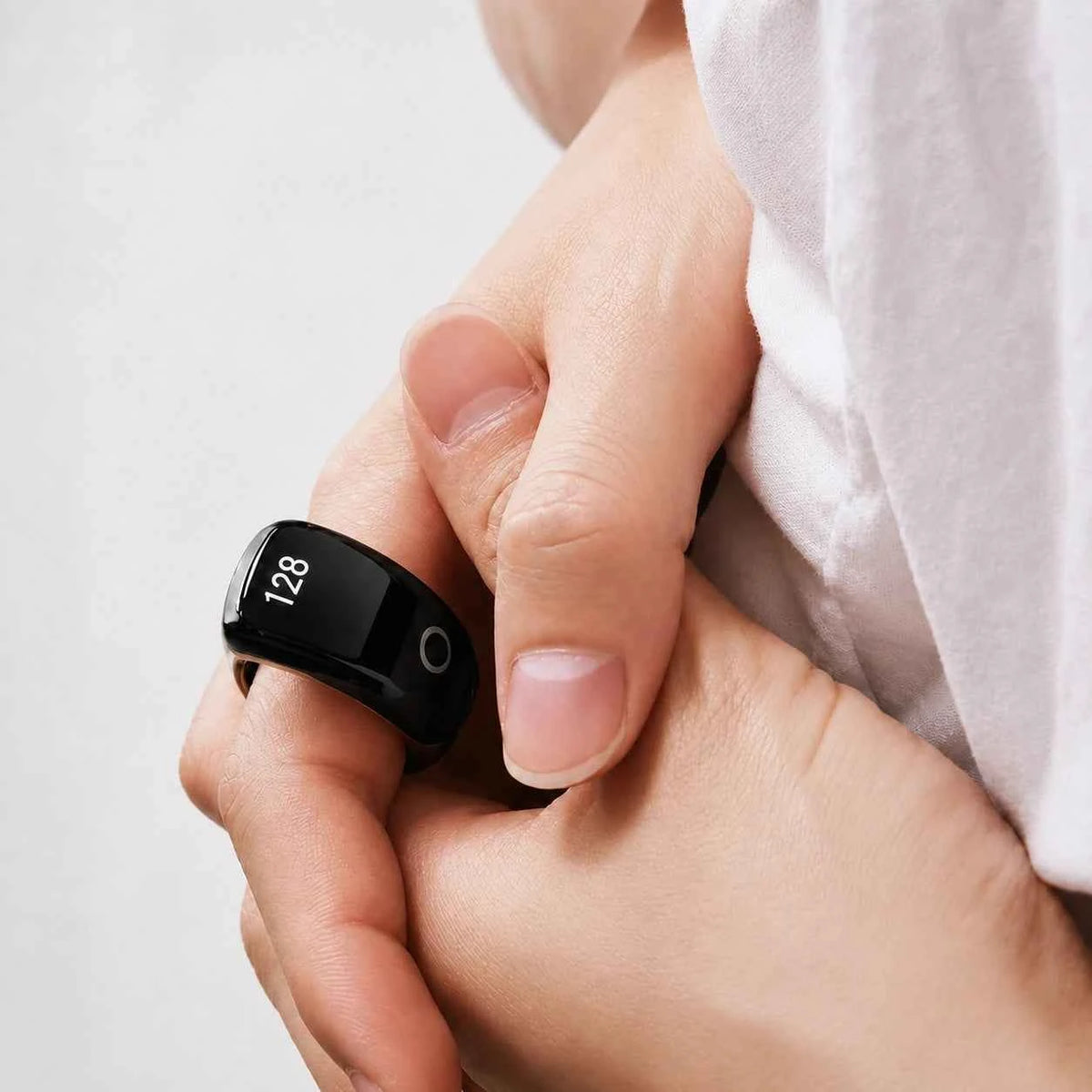
Included sizing loops offer inner diameters of 16.5, 18, 20, 22 and 23.9 mm.
The six-digit display counts up to 999,999, with a hold-to-reset control.
Set and sync five daily prayer vibration reminders through the original app.

SQ976
Choose a loop that sits securely without squeezing. SQ976 combines a 7.7 g resin body with interchangeable sizing loops, so you can find the fit that suits your hand before starting your practice.
How it works
Charge to activate your ring, find your fit and begin counting with a few touches.
Uses the original companion app. Scan the QR code in your model’s manual for setup.
Activate the ring on its charger. Try the included loops and choose a comfortable, secure fit.
Short-press to show the time. Touch four times to enter counting, then continue your practice.
Connect the original app to review records, manage prayer reminders and adjust settings.
The six-digit display gives longer sessions room to grow. Check time, date, battery, Bluetooth and lock status. The screen dims automatically after two minutes; hold in the counting screen to reset.

Pair with the original companion app to set five daily prayer reminders and sync your counting records. Vibration brings the reminder to your hand without requiring you to keep watching your phone.
Place the ring on its Type-C charging base. The charging animation stops when full. Hold on the clock screen to switch off when needed; device settings in the original app let you manage the connection or unbind.

This generation uses the original app supplied with the ring. Follow the QR code in its manual; Salam screens belong to later models.
Explore all features & controls

SQ976 includes five sizing loops, so you can try the fit at home.

Follow the fitting guide to swap the loop and find a comfortable fit on your chosen finger.

A resin body gives SQ976 a light feel for everyday wear.

The ring should feel secure, stay comfortable and be easy to remove. Choose the loop that works for you.
Follow your count on the ring while you make space for remembrance.
From the time screen, press the touch button four times to enter counting.
Time, date, battery, Bluetooth and lock indicators help you see the ring’s state.
Hold in counting mode to clear. Hold in clock mode to switch off the display.
Prayer-time vibrations keep your daily prayers close at hand.
Use the app named in the SQ976 manual for pairing, supported records and settings.
Check the time on your ring without breaking the rhythm of your day.
Use the supported reminder settings to make space for prayer through a busy day.
Original companion app
From a first count to the settings that make it yours. Explore the complete feature guide for this generation.
This generation uses the original app supplied with the ring. Follow the QR code in its manual; Salam screens belong to later models.

SQ976
They are interchangeable sizing loops supplied with the ring, with inner diameters of 16.5, 18, 20, 22 and 23.9 mm. Choose the loop that sits securely and comfortably.
No. Use the original app from the QR code in the SQ976 manual for pairing, records, reminders and device settings.
The six-digit counter displays up to 999,999. Hold in the counting screen to reset; consult the full control guide below for the other operations.
A ring for your hand. A rhythm for your day.
