Touch, rather than press
Three touches enter counting. Green light and vibration acknowledge each count.

QB708
A sculpted resin ring with touch counting, light signals and vibration. QB708 brings remembrance into a jewelry-shaped form.
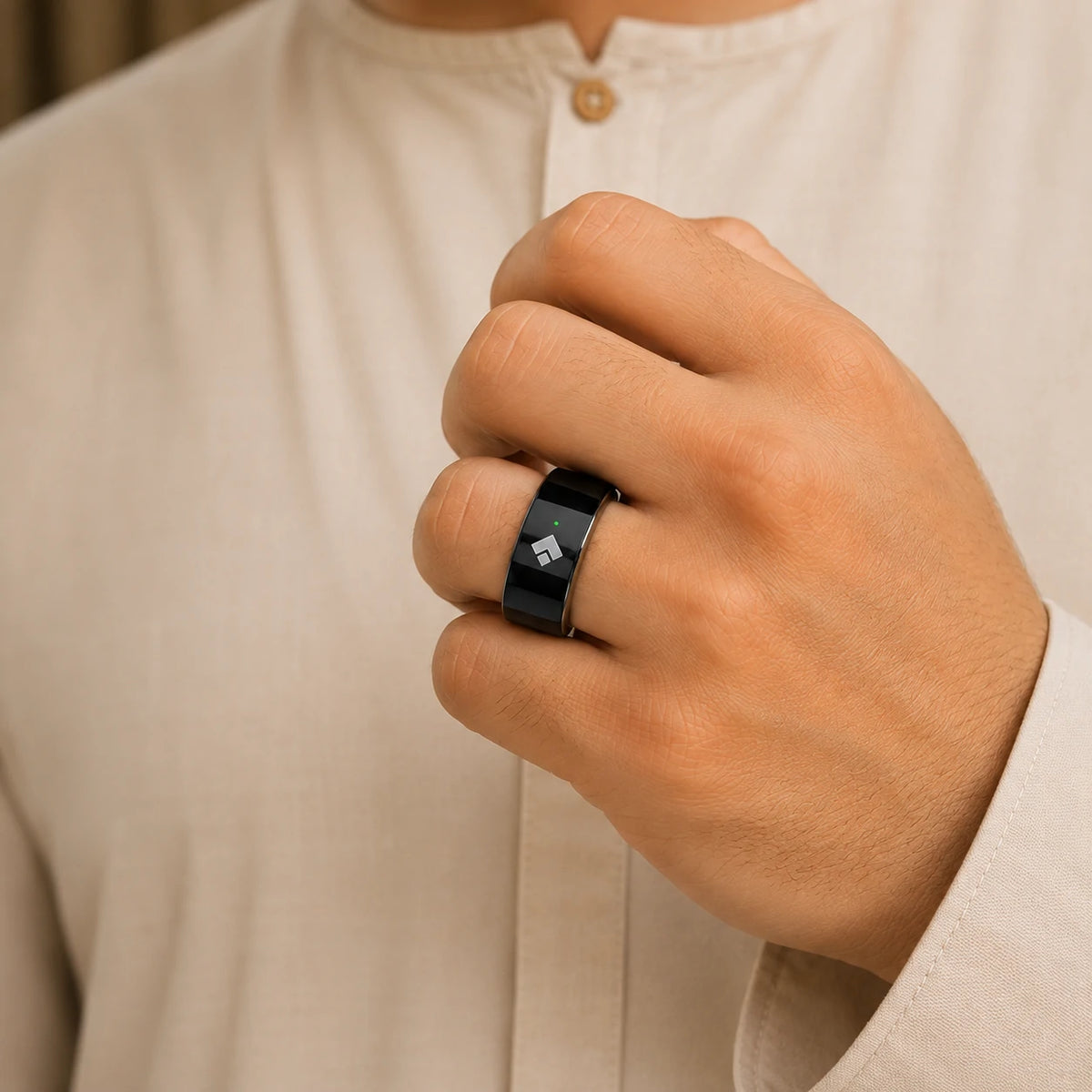
Three touches enter counting. Green light and vibration acknowledge each count.
Set counting plans and feel the signal at 33 or 100, and when a task is complete.
Five prayer and dhikr reminders arrive as light and vibration, set in the original app.

QB708
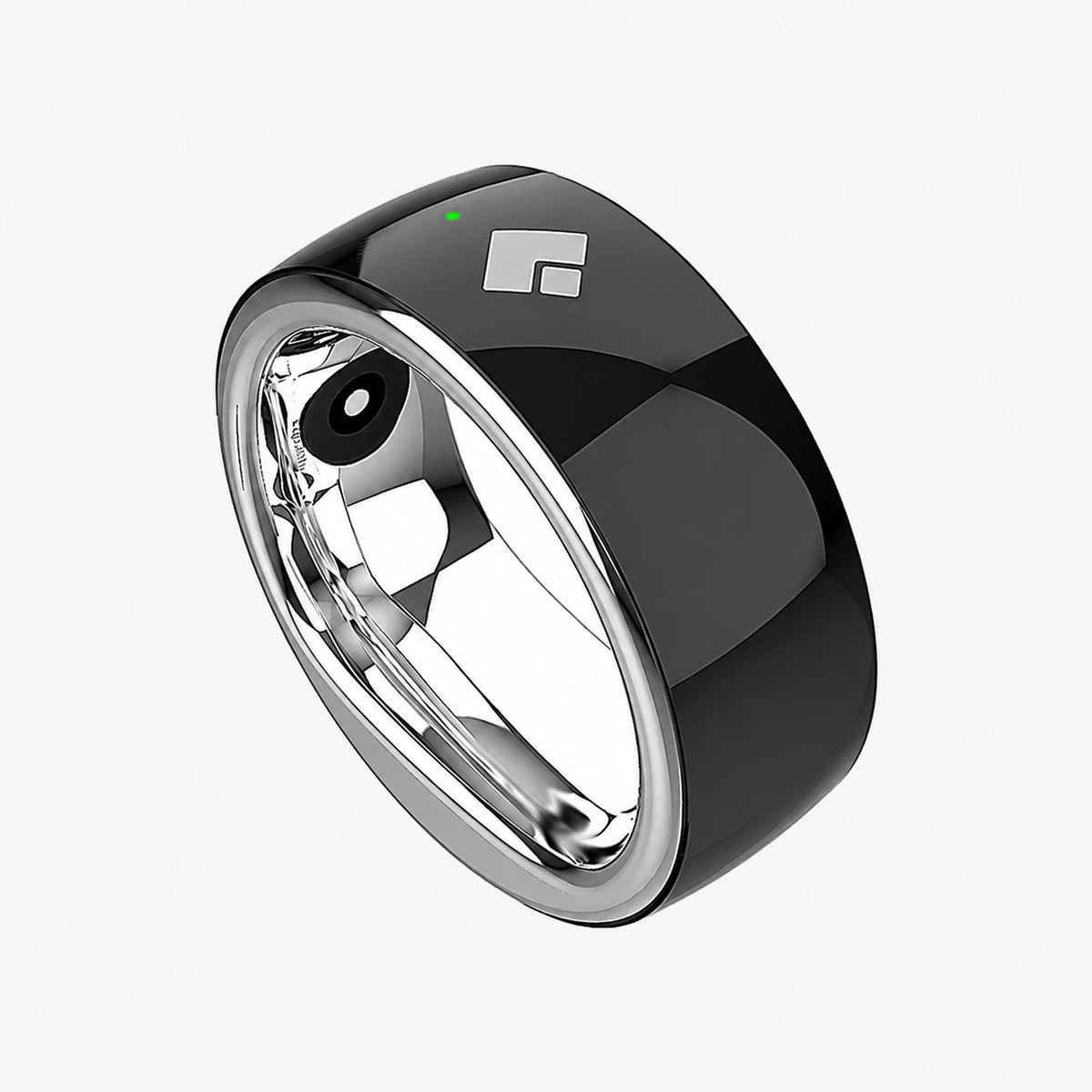
QB708 introduced a jewelry-shaped silhouette to the counting ring. Its resin body measures 9.5 mm wide and 6 mm thick, at around 8.3 g. It has a more substantial profile than the refined, smaller SQ905 and S666 designs.
How it works
QB708 uses light and vibration instead of a numeric screen. Your original companion app holds the detailed counting records.
Uses the original companion app. Scan the QR code in your model’s manual for setup.
Press and hold to power on. A blue light and vibration confirm it is ready.
Touch three times within 10 seconds. Each following count gives green light and vibration feedback.
Reset to save your session, then connect to the original app to sync and review the records.
There is no numeric display on QB708. Touch counting uses green light and vibration. Milestones at 33 or 100, and three signals at task completion, help you follow your practice without watching a screen.

Use the original companion app to name counting plans, set reminders and sync saved sessions. A prayer or dhikr reminder alternates red and green lights with vibration for 30 seconds; press to stop it.
The magnetic charger flashes red while charging and stays red when full. A flashing red light on the ring warns of low battery. Find my ring gives a 10-second vibration when connected nearby; Bluetooth connection is confirmed by three blue flashes.
This generation uses the original app supplied with the ring. Follow the QR code in its manual; Salam screens belong to later models.
Explore all features & controls

QB708 brings remembrance into a sculpted resin ring.

9.5 mm wide, 6 mm thick and approximately 8.3 g.
No numeric screen: light and vibration acknowledge your actions.
Choose a fixed size after measuring your finger, with a fit that is easy to remove.
Use the QR code in the QB708 manual, not the new Salam app.
Red flashes while charging and stays solid when full.
Three blue flashes confirm Bluetooth connection.
When connected nearby, Find my ring triggers a 10-second vibration.
Press three times within 10 seconds to enter counting. Each count gives light and vibration feedback.
Distinct signals mark multiples of 33 or 100 and the completion of your task.
Create a named plan in the original app. Save and synchronise your counting sessions after reset.
Set five daily prayer reminders, separate dhikr reminders and find-your-ring vibration in the original app.
Original companion app
A resin jewelry-shaped ring, with touch, light and vibration for dhikr. Explore every confirmed operation below.
This generation uses the original app supplied with the ring. Follow the QR code in its manual; Salam screens belong to later models.

708
No. It uses touch, light and vibration. View detailed counting records in its original companion app.
No. QB708 is an earlier jewelry-shaped model, with a 9.5 mm width, 6 mm thickness and approximately 8.3 g weight. SQ905 and S666 are the focus for more refined, comfortable everyday wear.
Install the original companion app from the QR code in the QB708 manual. This model does not use the new Salam app.
Explore the distinct feel of QB708 and its original touch-counting experience.
